Optimize
Tailwind
Yield optimizationEarn more from every commerce click.

Measure
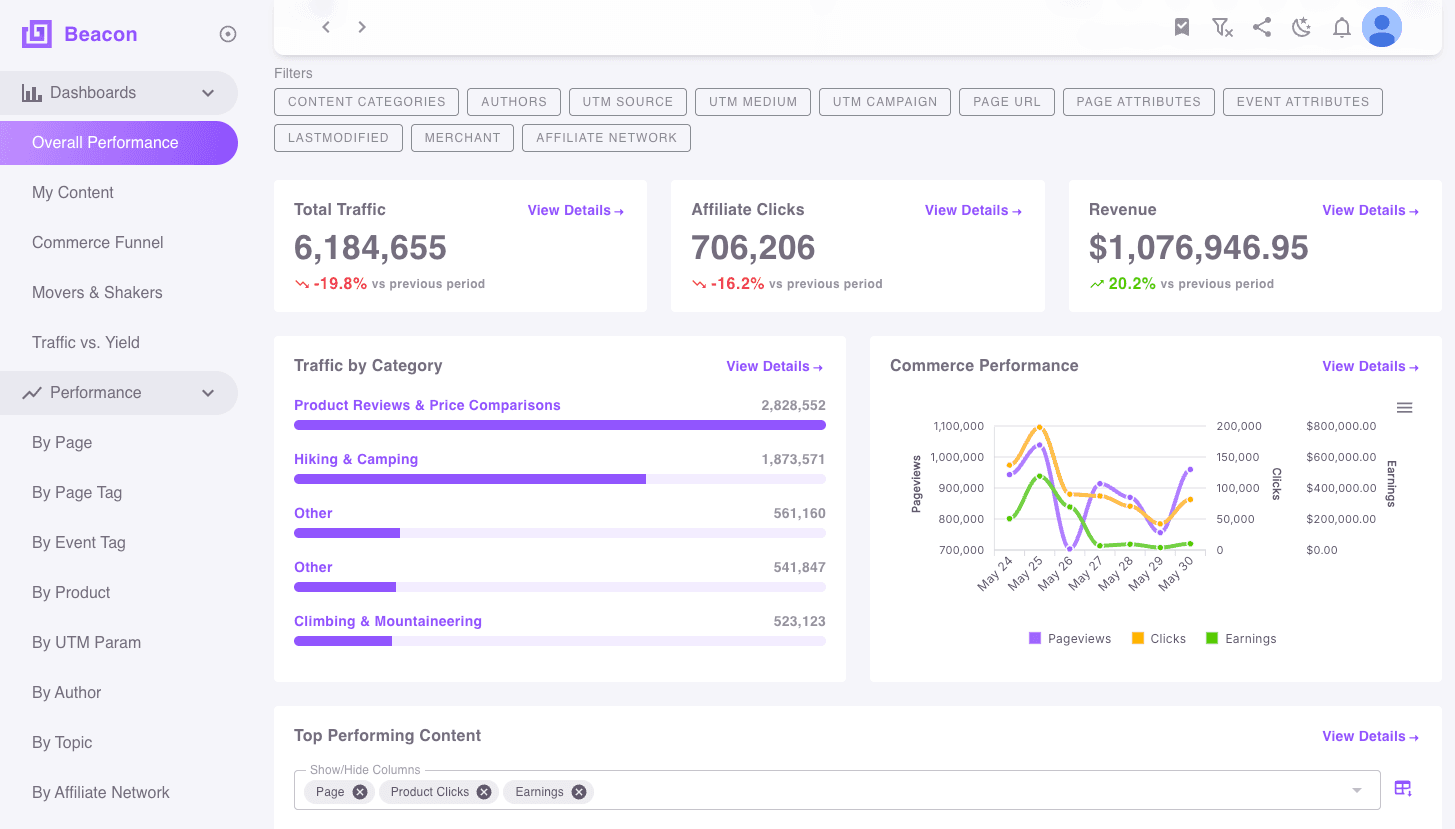
Beacon brings every affiliate network into one view and ties each dollar back to the page that earned it, so your teams can see what works and act on it.
Each affiliate network reports on its own schedule, in its own format, with its own idea of what a page is. Returns and restatements change last month's numbers. Getting from network files to "what did this article earn" takes spreadsheets and days, and editorial teams rarely see the answer.
Amazon, including Creator Connections, plus Impact, Skimlinks, CJ, Rakuten, Awin, AvantLink, Partnerize, Pepperjam and ShareASale, + many more, in one consistent model.
Page-level attribution through sub-IDs plus page matching, so every order lands on the article that drove it.
When a network adjusts past orders, Beacon updates the numbers it already reported instead of leaving you to reconcile them.
See how much search demand each page could capture and how much it does, and get a ranked list of pages to refresh next.
Role-based access, so editorial can see traffic and clicks without seeing revenue. Single sign-on with Google, Microsoft, Okta or OAuth / SSO.
Send the numbers each team needs to their inbox on the schedule they choose.
Beacon for Chrome
Beacon for Chrome shows Beacon's numbers in the browser while editors look at their own articles, so the data is in front of them when they decide what to update.

Link-level data
An optional lightweight tag adds link-level impressions and clicks. Beacon's core analytics need no on-page JavaScript, so the tag runs only where you choose to deploy it.
Data delivery
Beacon delivers your commerce data to BigQuery, Firestore or AlloyDB for PostgreSQL, in a dedicated schema for each client, so finance and data teams can work with it alongside their other data.
We connect Beacon to the affiliate networks you already use.
Beacon matches orders to pages through sub-IDs and page matching, and keeps them current as networks restate.
Teams use Beacon, Beacon for Chrome, scheduled reports or the data delivered to BigQuery, Firestore or AlloyDB for PostgreSQL.
Yes. Beacon covers every domain your company owns or manages. You can look at each domain on its own or all of them together.
Yes. Permissions are role-based, so you can let editorial see traffic and clicks but not revenue, or limit a team to certain domains. Sign-in works through Google, Microsoft, Okta or OAuth / SSO.
No. Beacon's core analytics need no JavaScript on your pages. The optional tag for link-level impressions and clicks runs only where you deploy it.
Amazon Associates, including Creator Connections, plus Impact, Skimlinks, CJ, Rakuten, Awin, AvantLink, Partnerize, Pepperjam and ShareASale, + many more. If you use a network we don't cover yet, tell us.
No. New features become available to your account automatically.
Talk to our team about bringing your affiliate networks into Beacon.